


Tizi House Design & Decoration
4.220.00 Reviews
App Specs
- Version
- 1.5.5
- Updated On
- License
- Free
- Downloads
- 1,000,000+
- Developer
- Tizi Town Games
- Categories
- Educational
- Platform
- Android
Screenshots


 Analysis by AppCompare
I like home-design games most when they let me try a clear idea quickly, then step back and decide what is working. Tizi House Design & Decoration is aimed at that kind of relaxed experimentation: it gives you a virtual home to arrange, furnish, and make your own, without the expense or commitment of changing a real room. I would treat it as a creative play space rather than a practical interior-planning tool, but that distinction is exactly what makes it approachable.
The First Impressions
The moment I opened Tizi House Design & Decoration, I was greeted with a vibrant and user-friendly interface. It’s lively and colorful, which sets the mood for creativity right from the get-go. You can easily navigate through the app, thanks to its intuitive design. Trust me, you won’t be fumbling around trying to figure out where everything is. It’s all laid out clearly and neatly.
A simple decorating loop that invites experimentation
The useful way to approach a room is to make one decision at a time. I would start with the overall mood, then choose a larger piece of furniture, and only after that fill in smaller décor. Changing several things at once can make it hard to tell which choice improved the room. This small habit turns casual tapping into a more satisfying design process, especially for children who are still learning to compare colors, shapes, and visual balance.
The game is listed as an educational title from Tizi Town Games, and that description makes sense in a light, informal way. It can encourage children to notice how a room’s pieces relate to one another, but I would not mistake it for a structured design course. There are no lessons I would rely on for professional skills; the value is in trying combinations and talking through why one arrangement feels calmer or more playful than another.
Features that Stand Out
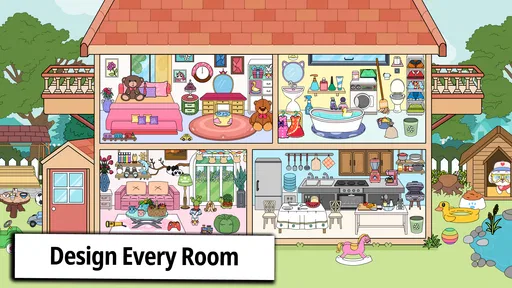
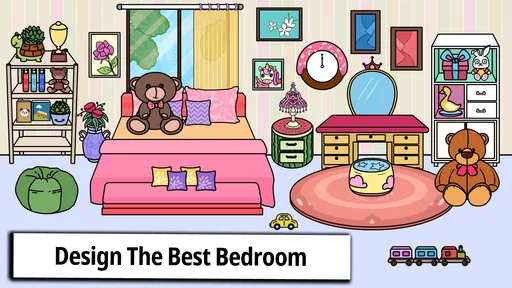
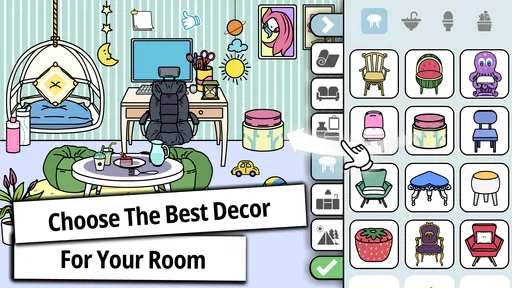
Let’s dive into some of the cool features that make this app a must-have for budding designers. First off, the app offers a wide range of rooms to decorate. Whether it's a cozy living room or a chic bedroom, you have plenty of options. You can choose from a variety of furniture, wall colors, and décor items. It’s like having a whole IKEA catalog at your disposal!
One feature I particularly enjoyed is the ability to mix and match different styles. Whether you’re into modern minimalism or vintage chic, Tizi House Design & Decoration lets you experiment with different looks without any real-world commitment. Plus, there’s an option to save your favorite designs. This way, you can revisit them anytime you feel like tweaking something.
A repeatable workflow for better-looking rooms
When I want a room to feel deliberate rather than crowded, I use a simple repeatable pattern: pick a central piece, settle on a limited color direction, and then add details only where the space still feels empty. It also helps to pause between changes instead of immediately filling every available spot. In a decorating game, restraint is a real design choice; leaving visual breathing room can make a favorite object stand out more than adding another accessory.
Worth Reading Before You Choose

EA SPORTS FC Mobile 26 Is a Bigger Football Game, but It Takes Time

Flipboard Shows What News Apps Must Do Beyond the Feed

Switching to Android Auto Means Rethinking Your Driving Routine

Google Calendar Makes a Crowded Week Easier to Manage

Ludo King Makes the Most of the Minutes Between Plans

Baby Panda World Brings Quick Play to Modern Phones, but Its Game Library Feels Busy
Saved designs are useful for more than keeping a finished room. I would use them as checkpoints: save a version before trying a bold color or a different furniture style, then compare the two moods later. That makes experimenting less intimidating, particularly for younger players who may otherwise worry that a change will spoil a room they already like. If you are playing together, take turns proposing one change at a time and explain the reason for it. That gives the game a gentle creative prompt without turning it into a competition.
Engaging Gameplay
Now, onto the gameplay. It’s not just about decorating; the app also incorporates fun challenges and tasks. These range from designing a room under a budget to creating a themed space. Each challenge hones your design skills and keeps the experience engaging. It’s a great way to test your creativity and see how your design stacks up against others.
The app is perfect for all ages. Kids can enjoy the colorful graphics and simple tasks, while adults can indulge in more complex designs. It’s an awesome way to bond with family or friends over a shared love for interior decorating.
Where it fits in an ordinary day
A realistic use for me is a short break while waiting for dinner or winding down after homework: choose one room, make a small design goal, and stop when that goal is met. For a child, the goal might be making a cheerful reading corner; for an adult, it might be testing whether a warm or cool palette gives a room a more comfortable feel. Keeping the session focused helps prevent the open-ended choices from becoming aimless tapping.
Compared with coloring apps, this asks for more decisions about how objects work together, so it can feel more rewarding when someone wants to build a whole scene. Compared with detailed home-planning software, it is far less suited to measuring a real room, checking whether furniture will fit, or planning an actual renovation. I would not use a playful virtual layout as a substitute for measurements or practical shopping research. Its strength is imagination, not accuracy.
Settings, access, and sensible expectations
Before handing the game to a child, I would check the device’s sound and purchase controls with them nearby. The game is free to download, carries an Everyone age rating, and offers in-app purchases priced at $1.99 per item, so it is worth making sure purchases are handled intentionally rather than treated as part of the decorating routine. I would also check that the device runs Android 7.0 or later if installing on Android.
The game has an average rating of 4.2 from around 1.4 thousand ratings, with over a million installs. Those figures suggest it has found an audience, but they cannot tell you whether its particular style of play suits your household. I would use them as context, not as a promise that every child or adult will enjoy the same pace or creative options.
The current version is 1.5.5. If you already have it installed, keeping the app current is a sensible routine for getting the version offered by the developer, but I would not assume an update changes the basic kind of experience. The best way to judge it is to try a room together and see whether choosing, rearranging, and revisiting designs holds your interest.
Personal Touches
One of the things I love about this app is the personal touch you can add to your designs. You can upload your own photos to create personalized décor items. Imagine seeing your favorite vacation photo hanging on the walls of your virtual living room. It adds a unique and intimate element to the design, making it feel more like home.
That option also makes the game more personal than simply selecting ready-made objects, but I would keep the use of personal images age-appropriate and take a moment to explain what a child is adding to a design. A family photo can prompt a nice conversation about what makes a space feel familiar; it does not need to be a private or identifying picture. For a shared device, choosing images together is a practical way to keep the activity comfortable for everyone.
The Social Element
What’s a fun app without a social element, right? In Tizi House Design & Decoration, you can share your designs with friends. There’s an option to connect with others, get feedback, and even participate in design contests. It’s a wonderful way to showcase your creativity and get inspired by other users. Plus, who doesn’t love a little friendly competition?
For someone who prefers quiet, solo creativity, the social side is optional in spirit: the basic appeal of arranging a home does not depend on seeking feedback. If sharing is part of the fun, I would treat comments as inspiration rather than a verdict on whether a room is good. A useful challenge among friends is to give each person the same broad theme and compare the different choices, focusing on what each design communicates instead of declaring one the winner.
Who will enjoy it—and who may want something else
I would recommend it to children who like pretend play, families looking for a low-pressure activity to do together, and anyone who enjoys styling rooms without needing realistic construction tools. It can also suit a casual player who wants a visual change of pace from puzzles or fast action games. The Everyone rating makes it broadly accessible, though a parent should still decide whether the purchase and sharing options fit their child’s age and habits.
I would steer away from it if you want exact room dimensions, a serious furniture planner, or step-by-step interior-design instruction. Players who need a strong sense of progression or highly technical building controls may also prefer a different kind of game. The freedom to decorate is enjoyable, but it may feel too open-ended when you want a defined objective every time you play.
Limits worth knowing before you settle in
The same freedom that makes decorating relaxing can leave you asking what to do next. A self-chosen theme helps, but players who rely on clear goals may find that open-ended room styling does not hold their attention for long. I would approach challenges as prompts for a quick creative session, not as evidence of a deep simulation. The game is at its best when the goal is to make a room feel different, not to manage a realistic household or solve practical design constraints.
There is also a difference between being able to save a favorite design and having a complete portfolio workflow. I would use saved rooms to return to ideas I like, while keeping any real-life decorating plans separately with measurements and notes. The game can help clarify a preference—such as liking brighter walls or a simpler look—but it cannot establish whether a real sofa fits through a doorway or whether a color will look the same in a particular room.
Wrapping It Up
All in all, Tizi House Design & Decoration is a delightful app for anyone who loves interior design. It’s easy to use, packed with features, and offers endless hours of creativity. Whether you’re a total newbie or a seasoned design enthusiast, this app is sure to keep you entertained. Download it today and start creating your dream spaces!
So, what are you waiting for? Dive into the world of design with Tizi House Design & Decoration and let your imagination run wild. Happy decorating!
My verdict after looking at the whole experience
I see this as an easygoing creative game, not a tool that needs to justify itself with realistic measurements or professional advice. Its most useful habit is simple: make a small design choice, look at the room as a whole, and decide whether the change helped. That approach works for a quick solo break and for a parent and child sharing ideas at the screen.
If you enjoy decorating for its own sake, the colorful rooms, mix-and-match choices, and saved designs give you a friendly place to experiment. If you need precise planning, a structured course, or a tightly directed game, another option will serve you better. For casual home styling with a playful tone, I think it is worth trying—and I would judge it by whether you find yourself wanting to return to a room and make one more thoughtful change.
Pros
- Intuitive interface for easy navigation.
- Wide variety of furniture and decor options.
- Regular updates with new design themes.
- Interactive tutorials for beginners.
- Offline mode available for uninterrupted use.
Cons
- Limited free content; in-app purchases needed.
- Occasional lag on older devices.
- No option to import custom designs.
- Ads can be intrusive at times.
- Requires significant storage space.
FAQs for Tizi House Design & Decoration
What is Tizi House Design & Decoration?
Tizi House Design & Decoration is an interactive app that allows users to create and decorate virtual homes. It's designed for creativity and fun, providing a variety of tools and options to design rooms, choose furniture, and personalize spaces. It's suitable for all ages and encourages imaginative play.
Is Tizi House Design & Decoration free to use?
The app offers a freemium model, which means users can download and enjoy basic features at no cost. However, there are in-app purchases available for those who wish to unlock premium items and exclusive content, enhancing the overall design experience with more options and customization.
What age group is Tizi House Design & Decoration suitable for?
Tizi House Design & Decoration is suitable for users of all ages, particularly targeting children and young adults who enjoy creative and imaginative play. The user-friendly interface ensures that even younger children can easily navigate and explore their design potential without difficulty.
Does Tizi House Design & Decoration require an internet connection?
While Tizi House Design & Decoration can be enjoyed offline, an internet connection is required for downloading the app and accessing certain online features or updates. Additionally, connecting to the internet may be necessary to make in-app purchases or access community-shared designs.
Can I share my designs in Tizi House Design & Decoration with others?
Yes, the app allows users to share their creations with friends and family through social media or within the app’s own community. This feature encourages interaction and inspiration among users, allowing them to showcase their creativity and explore designs made by others.


